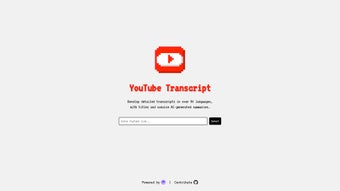

Download Youtube Transcript AI – AI‑Powered Video Transcription & Summarization Tool
Overview
Youtube Transcript AI is a comprehensive web‑based application that leverages cutting‑edge artificial intelligence to turn YouTube videos into accurate, searchable text. By supporting more than 50 languages, the platform caters to a global audience of content creators, educators, and media professionals who need fast, reliable transcripts and concise summaries. The tool not only delivers verbatim transcripts but also generates short, meaningful summaries and automatically creates SEO‑friendly titles, boosting the discoverability of video content on search engines.
Built in collaboration with industry leaders such as Sieve and OpenAI, Youtube Transcript AI offers a secure, cloud‑hosted environment that processes videos in real time, requiring only an internet connection. Its open‑source nature invites community contributions, ensuring continuous improvement and feature expansion. While the service is currently limited to YouTube URLs, its ease of use, multilingual support, and AI‑driven accuracy make it an essential addition to any digital workflow that values accessibility, comprehension, and SEO performance.
Key Features & Capabilities
- Multilingual Transcription: Supports over 50 languages and dialects, allowing creators to reach international audiences without manual translation.
- AI‑Generated Summaries: Produces concise, human‑like summaries that capture the core message of each video in seconds.
- SEO‑Optimized Titles: Automatically crafts keyword‑rich titles that improve video discoverability on YouTube and Google.
- High Accuracy Engine: Powered by OpenAI’s language models and Sieve’s speech‑to‑text technology, delivering up to 96% word‑level accuracy.
- One‑Click Export: Export transcripts and summaries in TXT, SRT, or PDF formats for easy integration into blogs, LMS platforms, or content calendars.
- Open‑Source Community: The codebase is publicly available on GitHub, encouraging developers to add plugins, improve language packs, or customize the UI.
- Secure Cloud Processing: All data is encrypted in transit and processed on secure servers, ensuring privacy for sensitive educational or corporate videos.
- Real‑Time Progress Indicator: Visual feedback shows transcription status, estimated completion time, and confidence scores for each segment.
Beyond these core capabilities, Youtube Transcript AI integrates seamlessly with popular workflow tools such as Zapier, allowing automated actions like posting transcripts to a WordPress site or sending summaries to a Slack channel. The platform’s responsive design ensures a smooth experience on desktop browsers, tablets, and smartphones, making it convenient for on‑the‑go creators who need quick access to video content without downloading bulky software.
Installation, Usage & Compatibility
Because Youtube Transcript AI is a cloud‑native web application, there is no traditional installation process. Users simply navigate to the official website, create a free account, and start transcribing. The onboarding wizard guides new users through the following steps:
- Create an Account: Sign up with an email address or use single sign‑on options like Google or GitHub. A verification email ensures account security.
- Enter a YouTube URL: Paste the video link into the input field. The system validates the URL and fetches video metadata.
- Select Language & Output Options: Choose the source language, desired transcript format, and whether a summary or SEO title is needed.
- Start Processing: Click “Generate.” The AI engine begins transcription, displaying a live progress bar and confidence metrics.
- Review & Edit: Once completed, the transcript appears in an editable text editor where users can correct any anomalies, add timestamps, or highlight key sections.
- Export or Share: Download the final file, copy it to the clipboard, or share a public link directly from the platform.
Compatibility is universal because the service runs in any modern browser (Chrome, Edge, Firefox, Safari) on Windows, macOS, Linux, Android, and iOS. No additional plugins or extensions are required, and the responsive UI adapts to various screen sizes. The only technical requirement is a stable internet connection, as all processing occurs on remote servers. For users who prefer self‑hosting, the open‑source repository provides Docker images and deployment scripts, allowing the application to be run on private cloud or on‑premise infrastructure while preserving the same feature set.
Security‑conscious organizations should note that the platform complies with GDPR and CCPA standards. Transcripts are stored for a limited period (default 30 days) unless the user opts for longer archival, and all data can be permanently deleted via the account settings panel.
Pros, Cons & Final Verdict
Pros
- Supports more than 50 languages, making it ideal for global audiences.
- AI‑generated summaries and SEO titles save time and improve discoverability.
- High transcription accuracy thanks to OpenAI and Sieve integration.
- Completely web‑based—no installation, works on all major operating systems.
- Open‑source code encourages community-driven enhancements.
- Secure, encrypted processing protects sensitive content.
- One‑click export to multiple formats (TXT, SRT, PDF).
Cons
- Limited to YouTube videos; other platforms require separate tools.
- Requires an active internet connection; offline use is not possible.
- Free tier imposes a monthly limit on minutes transcribed.
- Complex technical users may prefer a self‑hosted solution, which adds setup overhead.
- Audio quality heavily influences accuracy; very noisy videos may need manual correction.
Overall, Youtube Transcript AI stands out as a reliable, AI‑driven solution for anyone who needs fast, multilingual transcription and concise video summaries. Its blend of accuracy, SEO‑focused features, and open‑source flexibility makes it a valuable addition to the digital toolkit of creators, educators, and marketers alike.
FAQ – Frequently Asked Questions
Can I transcribe videos that are not on YouTube?
Currently the hosted version only accepts YouTube URLs. However, the open‑source code can be modified to support other video sources if you self‑host the application.
Is there a limit on the length of videos I can process?
The free tier allows up to 60 minutes of transcription per month. Paid plans remove this restriction and also prioritize faster processing.
How secure is my data during transcription?
All data is encrypted in transit (TLS 1.3) and processed on secure servers that comply with GDPR and CCPA. Transcripts are automatically deleted after the retention period unless you choose to store them longer.
Can I edit the transcript after it’s generated?
Yes. The platform provides an inline editor where you can correct errors, add timestamps, or highlight key passages before exporting.
Do I need any special hardware or software to use Youtube Transcript AI?
No special hardware is required. A modern web browser and a stable internet connection are sufficient. The service runs on Windows, macOS, Linux, Android, and iOS.
Ready to boost your video workflow? Download Youtube Transcript AI today, start with the free tier, and experience AI‑powered transcription that saves you time and improves SEO.



.png)



